
Home / Guides / Dryer settings and lights explained
Dryer Settings and Lights Explained: A Plain-English Guide
Dryer controls have different names on different brands, but they mean a handful of things. Here are the common ones, with a page on each.
Last reviewed October 18, 2026. Written and reviewed by the Plano Dryer Pros team. How we create content
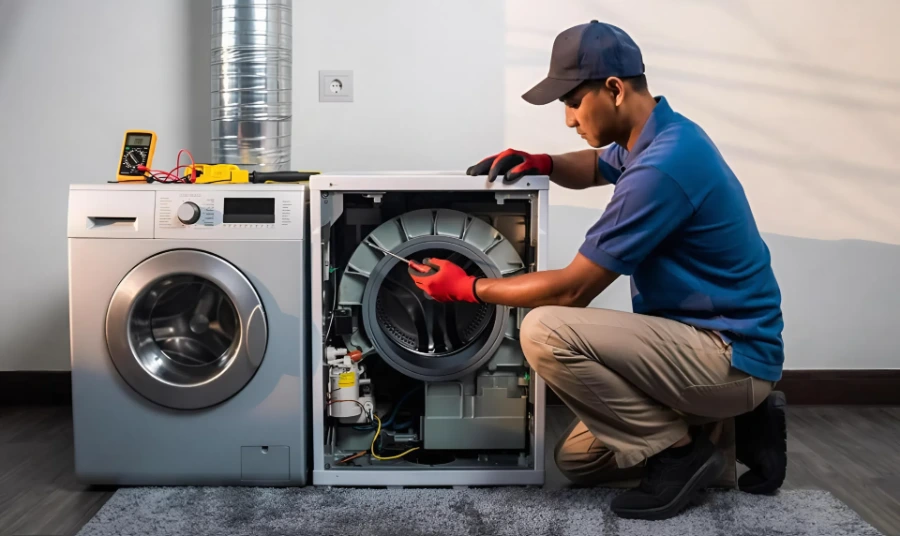
Dryer settings and lights have different names on different brands, but most mean the same few things: how dry to get the clothes, how hot to run, and what the dryer is doing now. This guide explains the common ones in plain English and links to a page on each.
Key takeaways
- Names vary by brand and model, so your manual always has the final word.
- Lights tell you what the dryer is doing, and most are normal.
- Cycle settings decide the heat and the time.
- A light or setting that behaves oddly can point to a sensor, vent or control problem.
Lights and signals
| Term | What it usually means | Read more |
|---|---|---|
| Damp dry | A dryness level that stops while clothes are slightly damp, or a light showing they are not yet dry | What does damp dry mean? |
| Sensing | The moisture sensor is measuring how dry the clothes are | What does sensing mean? |
| Cool down | The final no-heat stage of a cycle | What does cool down mean? |
| Clean lint filter | A reminder, or an airflow warning | Clean lint filter light |
| Wrinkle guard (wrinkle prevent) | The drum keeps tumbling after the cycle to stop wrinkles | What does wrinkle guard do? |
| End of cycle signal | A buzzer when the cycle ends | End of cycle signal |
| An airflow or vent code (such as LG D80) | Restricted airflow: the vent needs clearing | LG D80 error code |
Cycle and heat settings
| Setting (names vary) | What it usually does |
|---|---|
| Normal or Cotton | Higher heat for sturdy fabrics |
| Permanent press or Casual | Medium heat, usually with a cool down at the end |
| Delicates or Low heat | Low heat for fabrics that shrink or scorch |
| Bulky or Heavy duty | A longer cycle for bedding and thick items |
| Timed dry | Runs with heat for the time you set, whatever the clothes feel like |
| Air fluff or No heat | Tumbles without heat to freshen or loosen items |
| Auto, Sensor or Dryness level | Ends when the sensor reads the dryness level you chose |
What is the difference between timed dry and an auto cycle?
A timed dry runs with heat for the time you set. An auto cycle uses the moisture sensor and ends when the clothes reach the dryness level you chose. Timed dry is useful to test a dryer: if it dries well but auto cycles do not, the sensor is the likely problem.
When a setting or light points to a problem
- Cycles run very long, or the clothes are damp: takes too long to dry
- There is no heat: dryer not heating
- The dryer stops part-way: dryer stops mid-cycle
- A code appears: dryer error codes
- The vent may be restricted: vent safety guide
Why do dryer controls have so many different names?
Each brand names its settings differently, and they change between models, so “wrinkle guard” on one dryer may be “wrinkle prevent” or “wrinkle care” on another. The meaning is usually the same. Your manual or the model number lists the exact names.
Sources
- Your dryer’s owner’s manual, which governs over any general guidance on this page, because control names and behavior vary by brand and model
- Plano Dryer Pros general guidance. See our Editorial Policy.
Frequently asked questions
Where can I find my dryer’s settings explained?
In your owner’s manual, or the manufacturer’s site using the model number on the tag inside the door frame.
Are dryer symbols the same on every brand?
Many are similar, but not identical. Check your manual.
What is the best dryer setting for everyday clothes?
Normal or Cotton on a medium heat level is common for everyday clothes, but follow the care labels.
Why do my dryer’s lights act strangely?
It can be a sensor, a restricted vent or a control fault. Clean the lint screen and the sensor, check the vent, and test a timed cycle.
Get your dryer working again
Call and a person will answer, or request a repair online. You get the full price in writing before any work starts.